Overview Report
NAVIGATION Reports > Overview Report
View your organizations across categories from a high level.
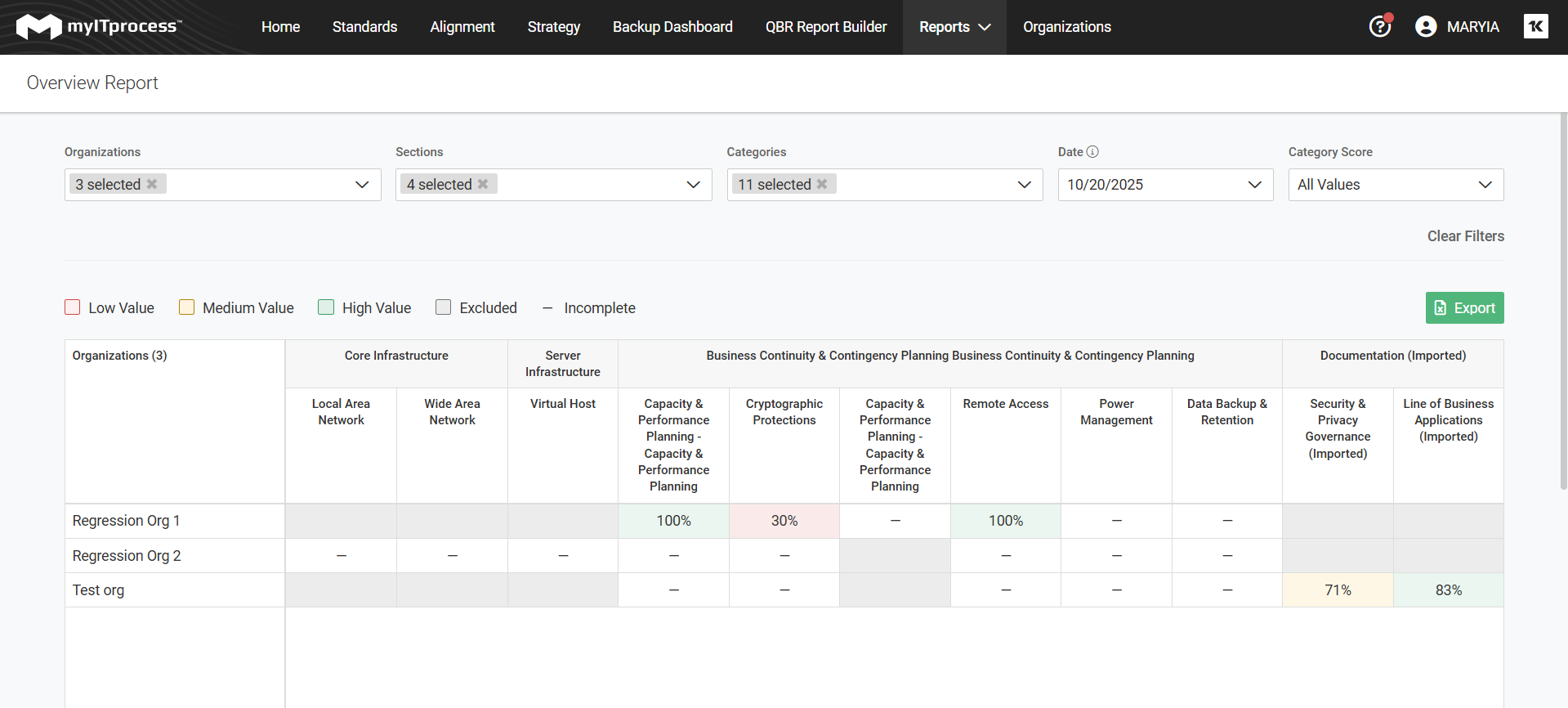
The Overview Report allows you to see the most recent category scores from each of your organizations in one place. You can see the scores separated by section and category per client and it is customizable based on what values you set for medium and high scores, the dates of reviews, and what categories are shown.
- Go to Reports > Overview.
- Select your Organizations, Sections, Categories, and the date for which you want the report. Keep in mind myITprocess pulls the most recently-reviewed categories, and that the date may differ from the date you run this report.
- Finally, set custom values for your Category Scores. The report is automatically generated.