Creating initiative and recommendation templates
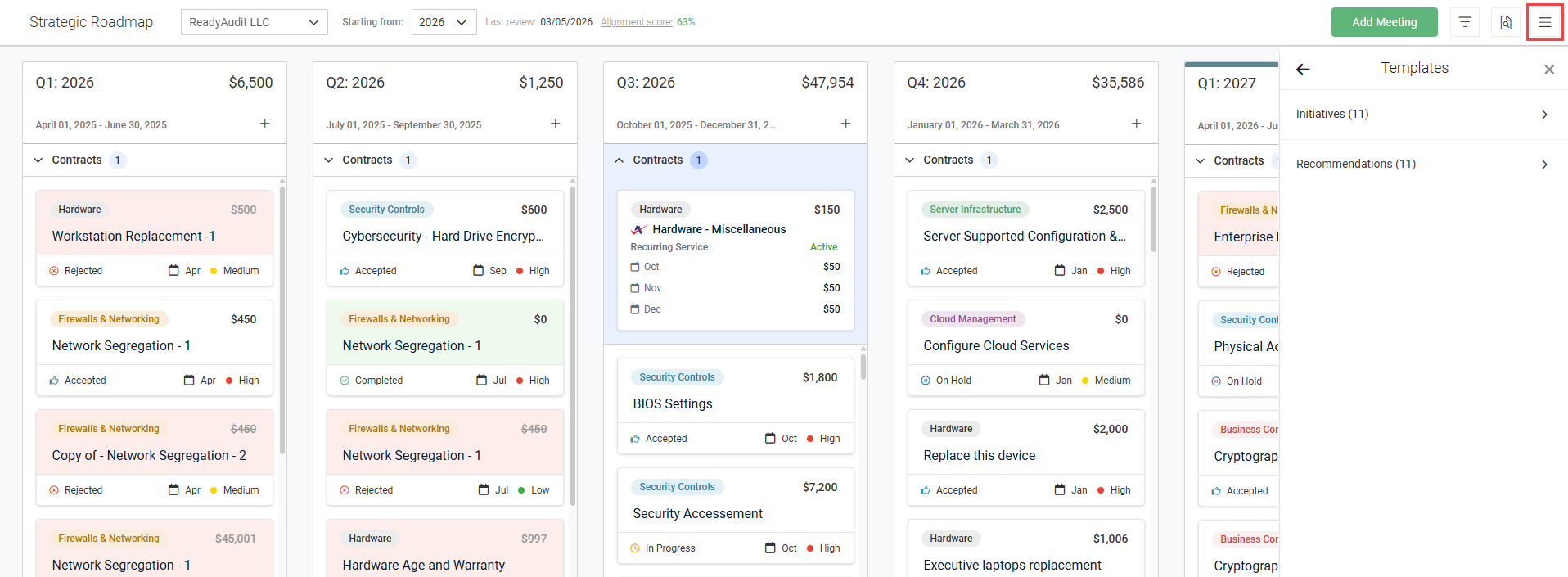
NAVIGATION Strategy > (select an organization) > (select a starting year) > (click the menu icon  ) > Templates
This article explains how to create initiative and recommendation templates on the Strategic Roadmap page. Templates can be reused across all organizations in your account, helping to standardize planning and save time.
To learn about initiatives and recommendations, which you can create from the templates described in this article, refer to Adding and managing initiatives and Adding and managing recommendations.
NOTE You will have the option to edit the details pre-populated from the templates before creating initiatives and recommendations from templates.
How to...
 Create an initiative template
From the Templates pane, described in the navigation path at the top of this article, complete the following steps to create an initiative template:
- Click Initiatives.
- At the top of the pane, click + Initiative Template.
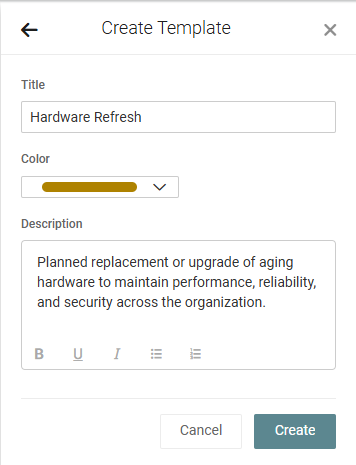
- In the Title field, enter the initiative template name. Initiatives created from this template will derive this name by default.
- From the drop-down menu, select a color for the initiative template. Labels for initiatives created from this template will be displayed in this color by default.
- Optionally, enter a description for the initiative template. Initiatives created from this template will derive this description by default.
- Click Create.
NOTE Existing initiatives cannot be converted into templates.
Create a recommendation template
You can create recommendation templates in the following two ways:
Option 1: From the Templates pane
From the Templates pane, described in the navigation path at the top of this article, complete the following steps to create an initiative template:
- Click Recommendations.
- At the top of the pane, click + Recommendation Template.
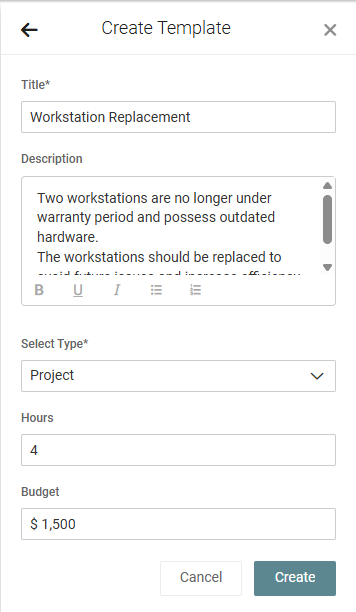
- In the Title field, enter the recommendation template name. Recommendations created from this template will derive this name by default.
- Optionally, enter a description for the recommendation template. Recommendations created from this template will derive this description by default.
- From the drop-down menu, select the recommendation type. Recommendations created from this template will derive this type by default.
- Enter an estimate of the number of hours that will need to be implemented. Recommendations created from this template will derive these hours by default.
- Enter an estimated budget value. Recommendations created from this template will derive this budget by default.
- Click Create.
Option 2: From an existing recommendation
After selecting an applicable organization and starting year from the drop-down menus in the upper-left corner of the Strategic Roadmap page, you can quickly create a recommendation template from an existing recommendation by clicking the applicable recommendation tile in the roadmap timeline.
From the More Options menu  in the upper-right corner of the Recommendation window, click Create template. The template is automatically created with the details derived from the recommendation and can be accessed and edited from the Templates pane.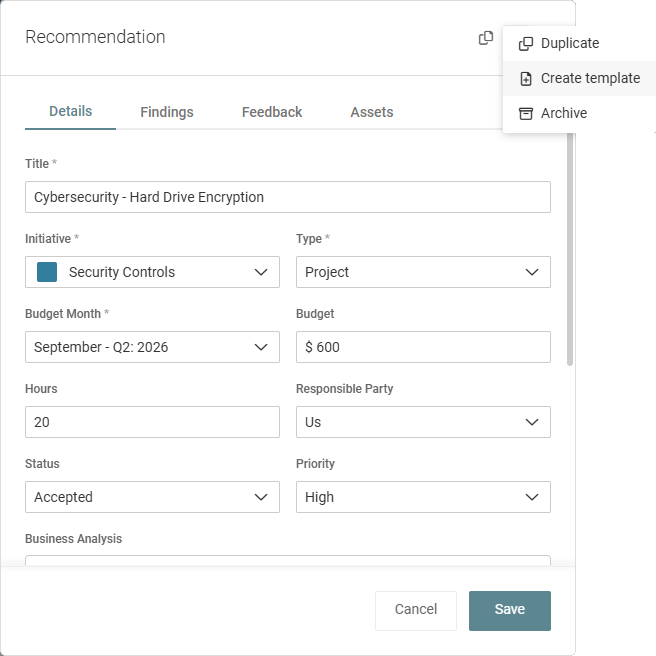
Edit an initiative or recommendation template
From the Templates pane, described in the navigation path at the top of this article, complete the following steps to edit a template:
- Click Initiatives or Recommendations.
- Expand the applicable initiative or recommendation.
- Click Edit.
- Edit the item as required.
- Click Save.
Archive an initiative or recommendation template
From the Templates pane, described in the navigation path at the top of this article, complete the following steps to archive a template:
- Click Initiatives or Recommendations.
- Expand the applicable initiative or recommendation.
- Click Archive.
- In the confirmation dialog box, click OK.


