Getting started with the Strategic Roadmap
NAVIGATION Strategy
This article outlines the layout and functionality of the Strategic Roadmap page.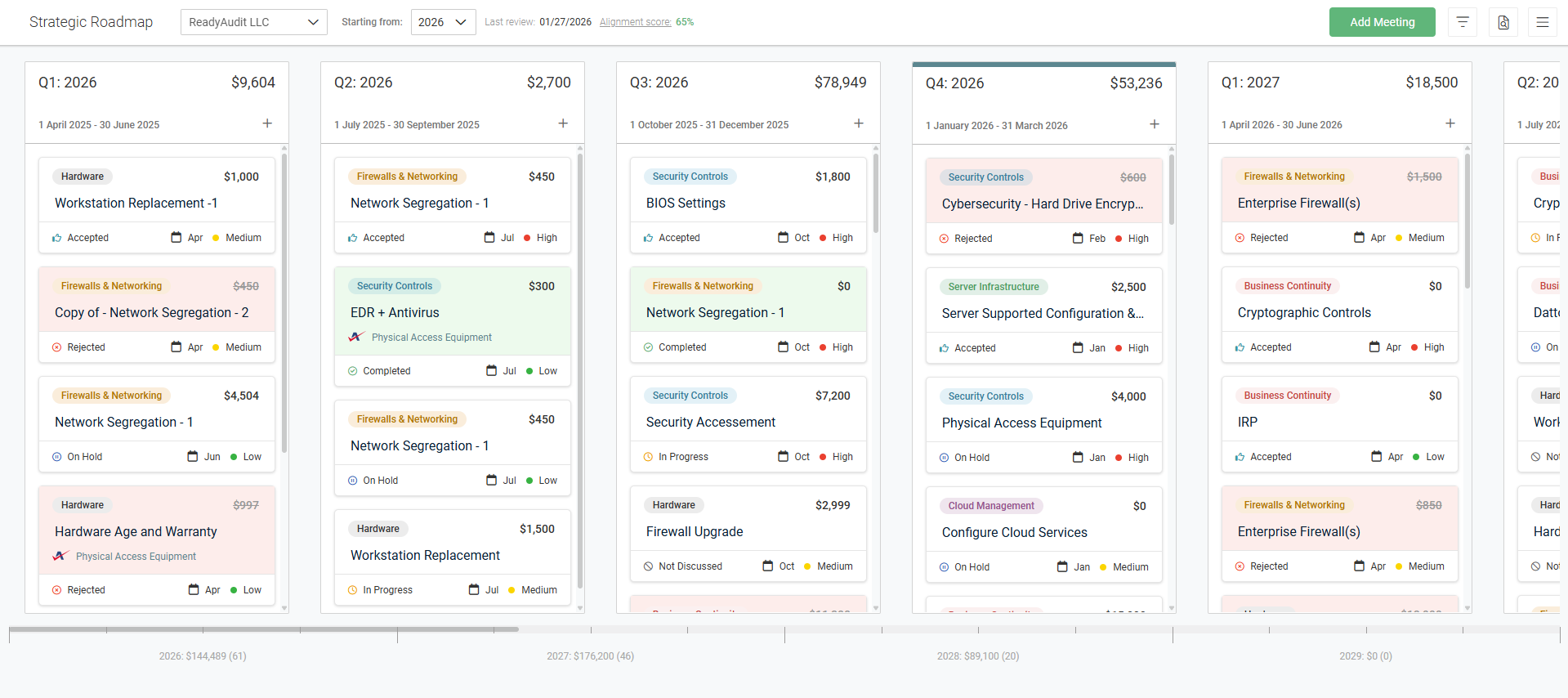
Selecting an organization and starting year
The Strategic Roadmap is where you create and manage individual organization (client) roadmaps. To get started, select an organization and starting year for your roadmap view from the drop-down menus in the upper-left corner of the page.
Viewing the alignment score
The top of the page displays the date of the last completed review and the client’s average monthly alignment score. Clicking the Alignment score link displays full details and allows you to cycle through years to compare scores across time.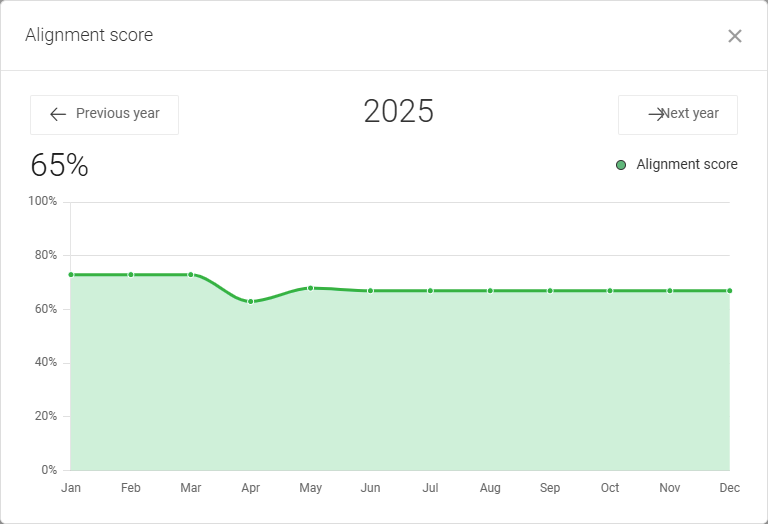
Customizing the view
The roadmap is displayed in columns, with each column representing a quarter of the selected organization’s fiscal year. The start of the fiscal year can be customized in the organization’s Strategy Profile, accessible from the three-line menu  in the upper-right corner of the page. Refer to Configuring the strategy profile.
The page displays quarters starting with Q1 from the year selected in the Starting from drop-down menu, and you have the option to scroll through and manage quarters for the next three years.
Filtering the roadmap
Filtering an organization's Strategic Roadmap allows you to focus on specific client information, which is particularly helpful when managing a large number of initiatives and recommendations. Refer to Filtering the Strategic Roadmap.


