Filter options in reviews
NAVIGATION Alignment > My Reviews > (select a review) > (click the menu icon  )
)
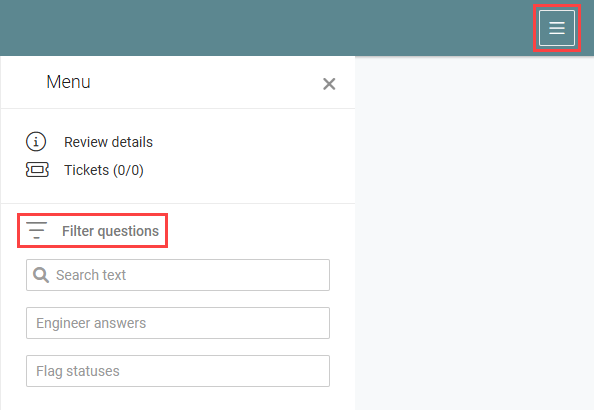
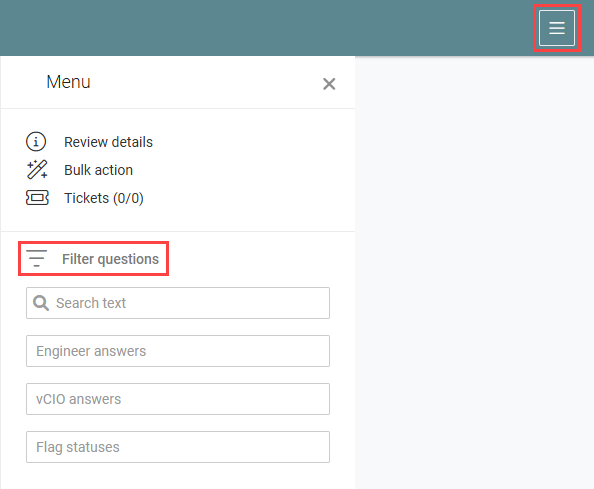
Both engineers and vCIOs can filter the questions in a review to find a specific question or view questions that meet certain criteria. Filter options vary slightly between the two roles.
To access filters, click the three-line menu icon in the upper-right corner of the review page to open the Menu pane, and then use the fields in the Filter questions section.
Filter options
| Filter | Available to | Description |
|---|---|---|
| Search text | Engineers and vCIOs | Search for questions containing specific words or phrases. |
| Engineer answers | Engineers and vCIOs | Filter by the engineer's answer: Yes, No, Not applicable (N/A), or Not answered. |
| vCIO answers | vCIOs only | Filter by the vCIO's answer: Aligned, Marginal, Vulnerable, Not applicable (N/A), or Not answered. |
| Flag statuses | Engineers and vCIOs | Filter by flag status: Unflagged, Flagged, or Completed. |
Engineer filters
vCIO filters
To learn about filtering when working on a review from the Findings pane, refer to Filter questions in the Findings pane.


