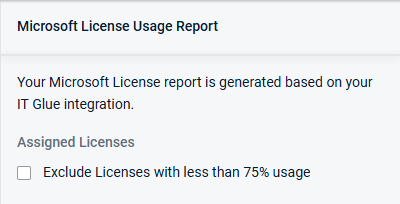
Microsoft License Usage Report
NAVIGATION QBR Report Builder > (add or edit a report) > Add > Microsoft License Usage Report
The Microsoft License Usage Report section in the QBR Report Builder enhances QBR reports by providing visibility into Microsoft license consumption. It helps ensure client accounts are properly licensed, identifies gaps, and supports informed discussions around budgeting for additional licenses. This enables improved compliance, more accurate cost planning, and more strategic IT management.
To learn how to use the QBR Report Builder to create QBR reports, refer to Using the QBR Report Builder.
Prerequisites
- An IT Glue account with Microsoft license usage data that is integrated with KaseyaOne.
- Enable KaseyaOne Unified Login to sync your IT Glue account to myITprocess. Refer to Setting up KaseyaOne Unified Login.
- Perform IT Glue organization mapping on the Setup Organizations page. Refer to Performing organization mapping.
Understanding the Microsoft License Usage Report
After adding the Microsoft License Usage Report section to a QBR report, the report is generated automatically.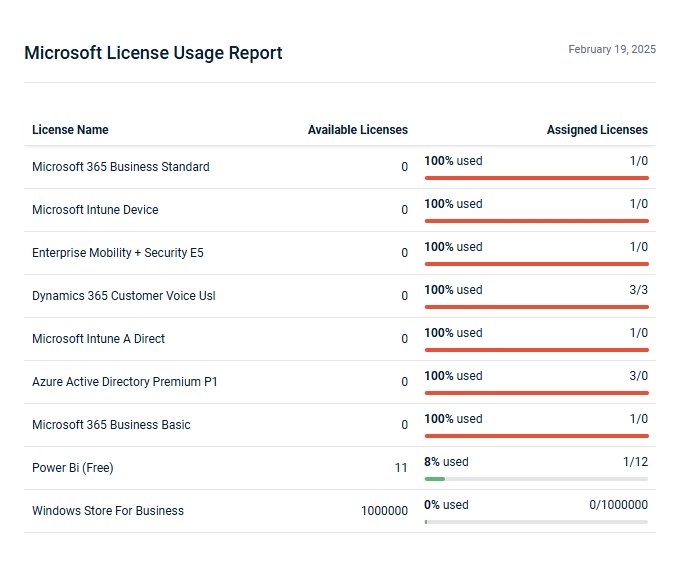
The data is sorted by available licenses, from lowest to highest.
Rows are color-coded based on the following usage levels:
- Red (91% and above): High utilization, potential risk of shortage
- Yellow (75%–90%): Moderate utilization
- Green (below 75%): Lower utilization
Selecting the Exclude licenses with less than 75% usage checkbox hides licenses with low utilization from the report.