Archiving a section, category, or question in the Standards Library
NAVIGATION Standards > (select items) > Archive
IMPORTANT Background findings are related to the Standards Library in the database. When you archive a section, category, or question in the Standards Library, all findings related to the items are also archived. This relationship cannot be recovered, even if the Standards Library item is unarchived.
Standards archival behaves as follows:
- Archiving a section archives all of its child categories and questions.
- Archiving a category archives all questions in that category. The section and other categories are not archived unless the category being archived is the only active category in the section. In that case, the section is also archived.
- Archiving a question archives only that question and does not affect the section, category, or other questions.
For restoration instructions, refer to Restoring an archived section, category, or question in the Standards Library.
Archived items are removed from the Standards Library and will no longer appear in organization templates or future alignment reviews.
To archive a section, category, or question in the Standards Library, complete the following steps:
- In the top navigation menu, click Standards. In the drop-down menu in the upper-left corner of the page, Standards library is selected by default.
-
If you want to narrow the list of standards shown, use the filter
 or Search bar. For full instructions and field definitions, refer to Filtering and searching in the Standards Library and organization templates.
 - Locate the item you want to archive, expanding sections or categories to view all nested items, if necessary.
- Select the checkbox(es) of the section(s), category/categories, and/or question(s) you want to archive.
- Click Archive in the upper-left corner of the list.
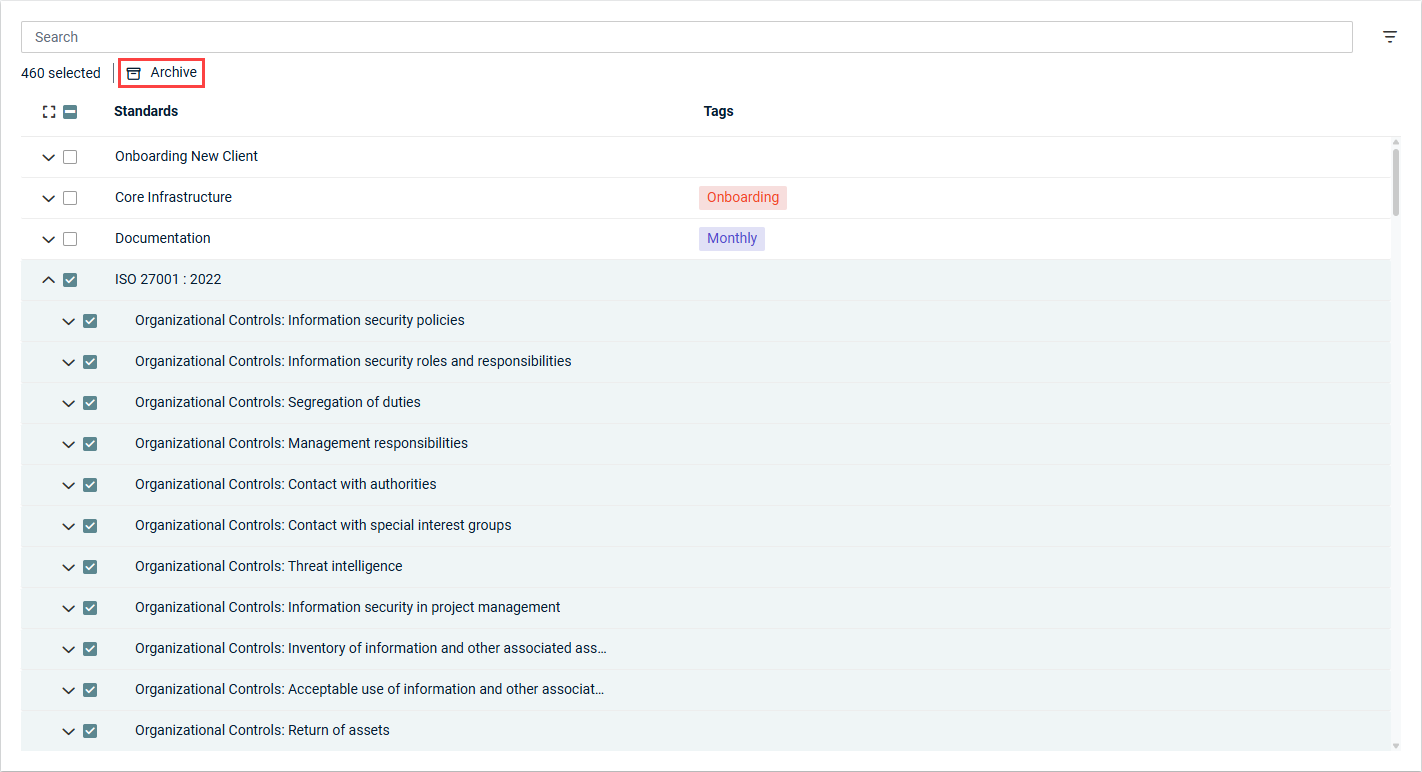
- In the confirmation pop-up window, click OK.
NOTE If you select a section, all of its categories and questions are also automatically selected. If you select a category, all of its questions are also automatically selected.
NOTE You can also archive an individual item by clicking the row of that item in the list to open its detail pane. From the three-dot menu  in the upper-right corner of the pane, select Archive.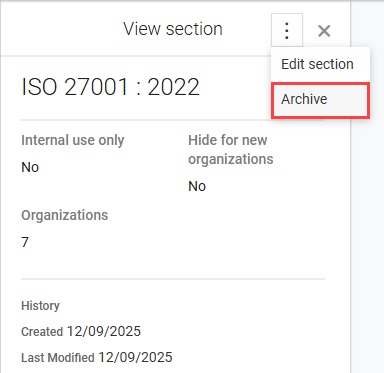
The archived items are grayed out in the list of standards. To view archived items any time, click the filter icon in the upper-right corner of the list and select the Show archived checkbox.


