Microsoft 365 meeting sync: Outlook integration
NAVIGATION My Account > Calendar Settings
NAVIGATION Strategy > (select an organization) > (select a starting year) > Add Meeting
NAVIGATION Strategy > (select an organization) > (select a starting year) > (click the menu icon  ) > Meetings
PERMISSIONS All users can access the Calendar settings page, but only users with Full permission for both Meeting Mode and Strategy can create and manage meetings.
Enable seamless scheduling of strategic meetings in myITprocess by integrating with your Microsoft Outlook calendar. This integration allows you to manage meetings from a centralized location while automatically syncing availability, invitations, and updates across both systems.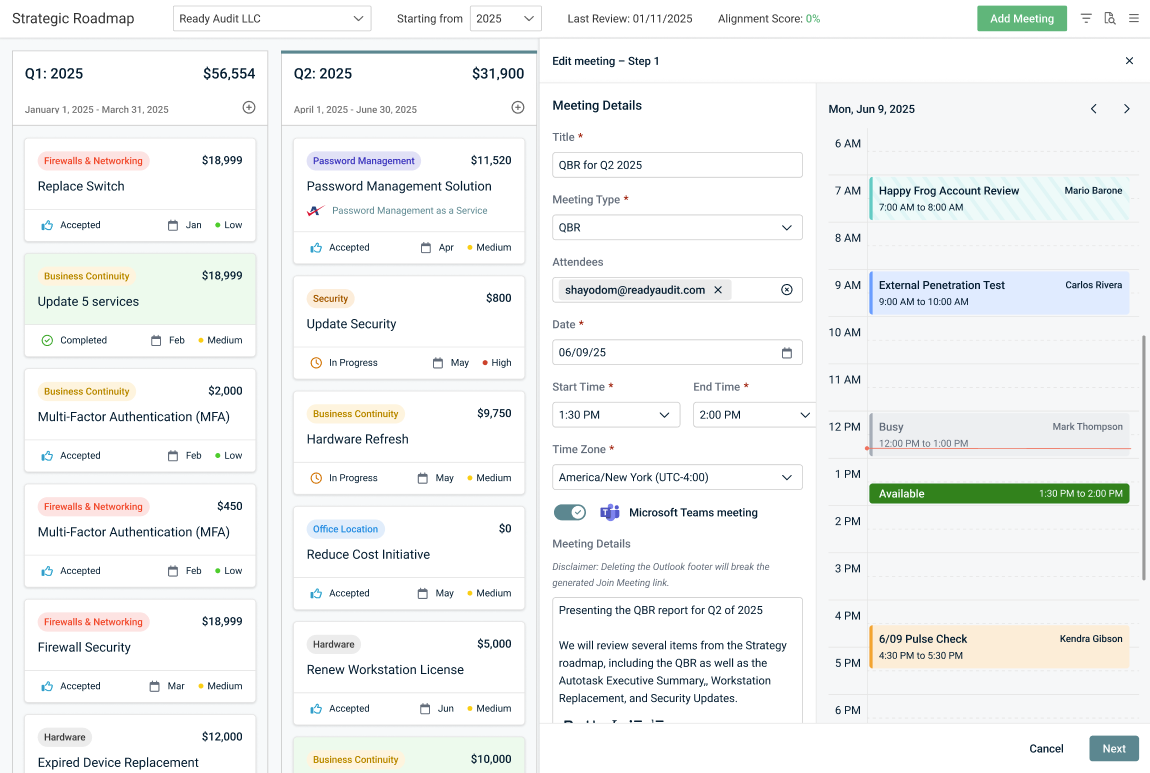
Automatic Microsoft Teams link generation and streamlined event updates for internal and client-facing users help prevent duplicate invitations and keep attendee responses up to date.
This integration ensures seamless coordination between myITprocess and Outlook while respecting user permissions and time zone settings.
IMPORTANT This integration is configured at the user level. You may wish to sync your own Microsoft 365 account or a shared team account.
Prerequisite
- Microsoft 365 business account
Integration features and sync behavior
The following sections provide an overview of the features and sync behavior in myITprocess when the Outlook integration is active in a user account, as described in Connect your Microsoft 365 business account to myITprocess.
 Microsoft Teams link generation
You can turn on the Microsoft Teams meeting toggle when adding a meeting in myITprocess to generate a Microsoft Teams link for your meeting. This link is added to the meeting invitation and calendar event, and you can join or copy the Teams meeting directly from myITprocess.
NOTE Meetings created in myITprocess will sync to your Outlook calendar whether or not this toggle is turned on.
You cannot edit this setting after meeting creation. If a Teams link was already generated, it cannot be removed within myITprocess.
If your connected Microsoft 365 account lacks a Teams license, Outlook synchronization is allowed, but Teams link generation is unavailable. In this case, hovering over the toggle displays an Unable to verify Microsoft Teams license tooltip.
Refer to Join or copy a Teams meeting directly from myITprocess.
Calendar view
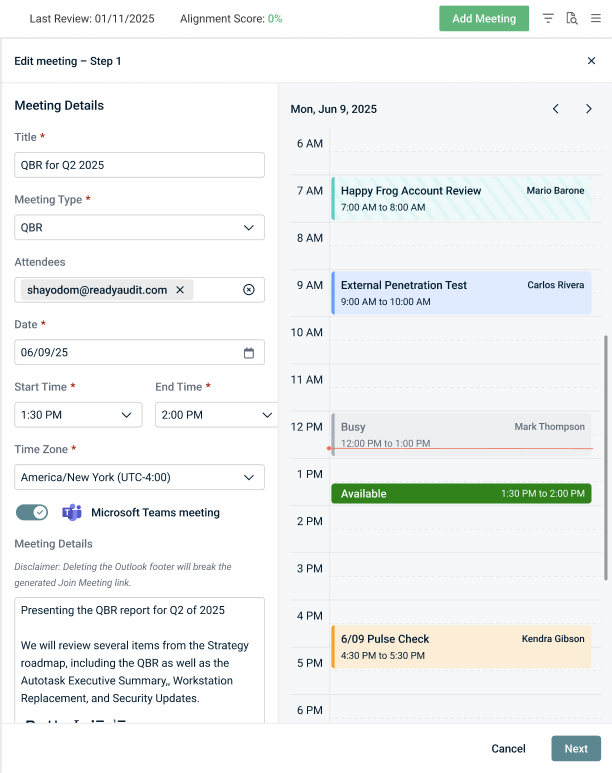
A calendar view that mirrors your connected Microsoft Outlook calendar(s) automatically opens next to the meeting creation pane when adding a meeting in myITprocess.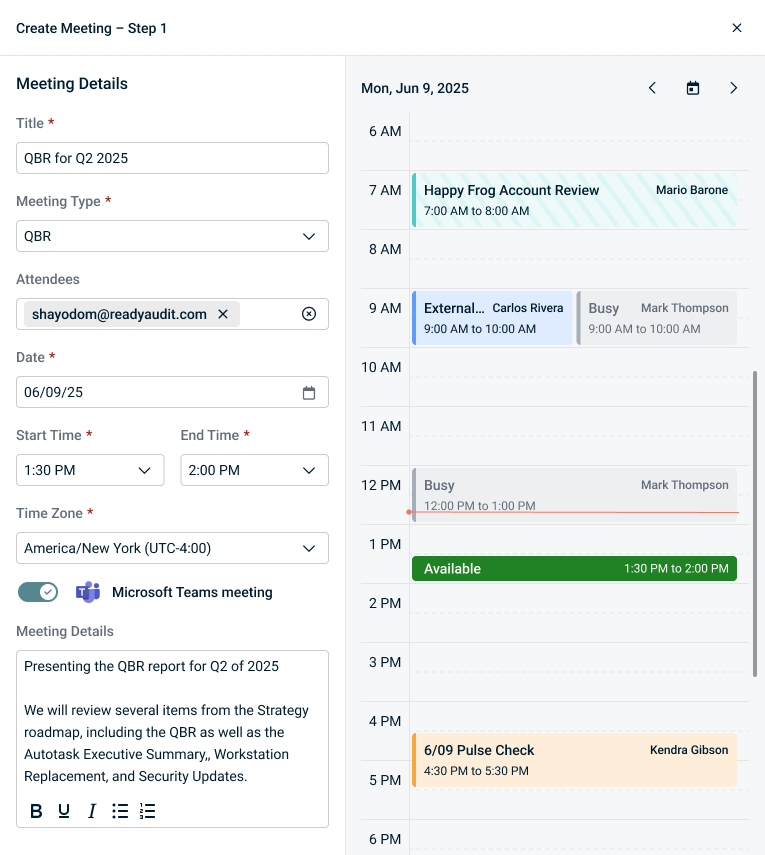
The calendar reflects availability based on your connected primary calendar and any connected secondary calendars. For details about primary and secondary calendars, refer to Configure a primary calendar (required) and Configure one or more secondary calendars (optional).
The calendar shows the date selected for the meeting being created, while allowing you to navigate forward and backward through other days as needed. The calendar displays busy time slots and a placeholder for the meeting being created, reflecting your selected start and end times.
Your working hours configured in Outlook are centered by default for optimal visibility, and you can scroll vertically to view earlier or later time slots. The red horizontal line indicates the current time.
Calendar event appearance
The following tables outline how different types of events are displayed in the calendar view, depending on their origins and statuses.
TIP Long event titles are truncated. Hovering over a calendar event reveals a tooltip displaying the full event name.
Primary calendar events
Events from your connected primary calendar that were created in myITprocess are color-coded based on the meeting type selected during meeting creation.
| Meeting Type | Invitation Accepted | Invitation Pending |
|---|---|---|
| QBR | 
|

|
| Pulse Check | 
|

|
| Account Review | 
|

|
Secondary and non-myITprocess events
Events from your connected secondary calendar(s) and events that were created outside of myITprocess appear in gray with one of the following titles:
- The actual event name
- Busy
- Tentative
| Invitation Accepted | Invitation Pending |
|---|---|


|


|
Meetings in creation
The meeting you are currently adding and configuring details for in myITprocess is displayed as a placeholder in the calendar. The event appears in green or red depending on if the Start Time and End Time you have selected fall within an available or unavailable time slot, respectively.
| Meeting Time Available | Meeting Time Unavailable |
|---|---|


|


|
Meeting sync behavior
The following behavior applies to synced myITprocess meetings:
- Meeting invitations are sent from the logged-in user’s name (via Outlook).
- Events created/edited in myITprocess sync to Outlook.
- Events created/edited in Outlook appear in myITprocess as read-only.
- Attendee responses (Accepted, Tentative, Declined) sync to myITprocess.
- The default myITprocess email invitation is suppressed.
If the integration is not enabled, invitations are sent from noreply@myitprocess.com.
Refer to Manually sync Outlook event data to myITprocess.
IMPORTANT Calendar synchronization with Outlook is generally near real-time. However, because the integration relies on third-party services and external APIs, sync delays may occur.
Time zone handling
- myITprocess respects the time zone set in Outlook.
- Meetings created before integration setup are converted to your Outlook time zone.
- Meetings created by other users are also displayed according to your Outlook time zone.
- If you select a different time zone when adding a meeting in myITprocess, the calendar view is converted to display times according to your selected time zone.
How to...
Integration setup
Connect your Microsoft 365 business account to myITprocess
Complete the following steps in myITprocess to set up the integration with your Microsoft Outlook calendar:
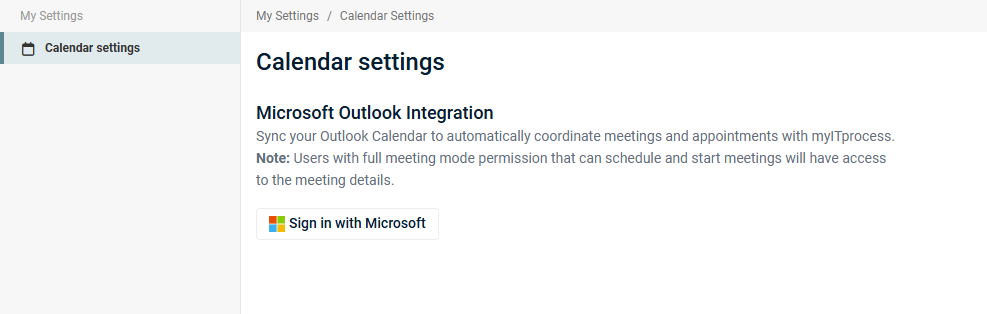
- In the upper-right corner of the header, click your username (My Account) and select Calendar Settings.
- Click Sign in with Microsoft.
- Once redirected to the Microsoft sign-in page, select the account you would like to use for the integration.
- Enter your Microsoft account password and complete any required multi-factor authentication.
- Review the requested permissions.
- Click Yes to grant myITprocess access.
Upon successful authentication, you are redirected back to the Calendar settings page.
If authentication fails, you are redirected back to the Calendar settings page, where a Login failed error message is displayed.
Configure a primary calendar (required)
The primary calendar selected for the integration is where new meetings are scheduled and where myITprocess writes events. The main Outlook calendar from your account is selected by default. Only calendars with edit permissions can be selected.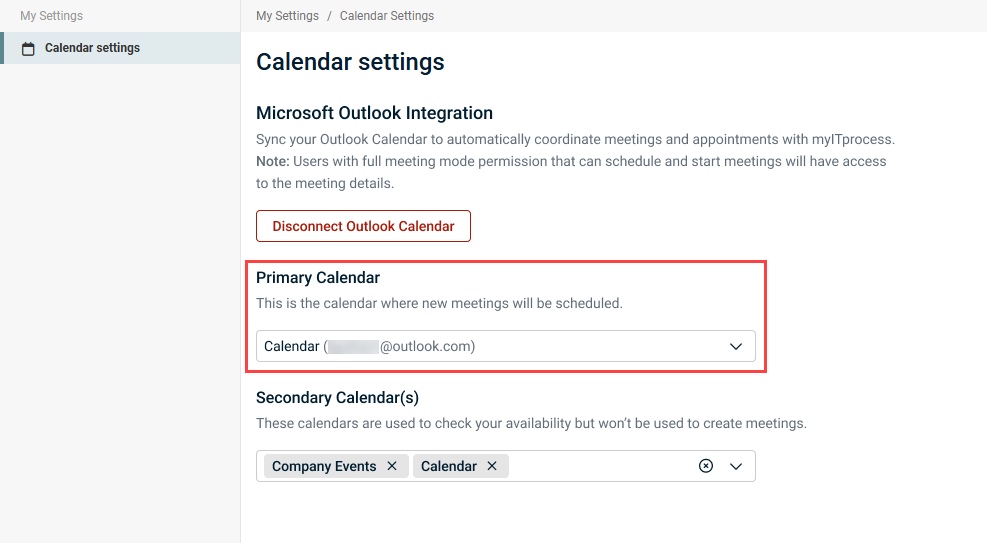
If multiple calendars exist in your connected Microsoft account and you wish to change the primary calendar, complete the following steps:
- On the Calendar settings page, select the calendar to use for the integration from the Primary Calendar drop-down menu.
- Changing the primary calendar does not remove access to previously created meetings, but new meetings will be added to the newly selected calendar. In the pop-up confirmation window, click Change to confirm and execute the action.
NOTE If a primary calendar that was selected for the integration is deleted, myITprocess automatically defaults to using the main Outlook calendar from your account.
Configure one or more secondary calendars (optional)
Any secondary calendars selected for the integration are used to check availability when scheduling (busy/free information) and not for meeting creation. Events from secondary calendars are not modified by myITprocess.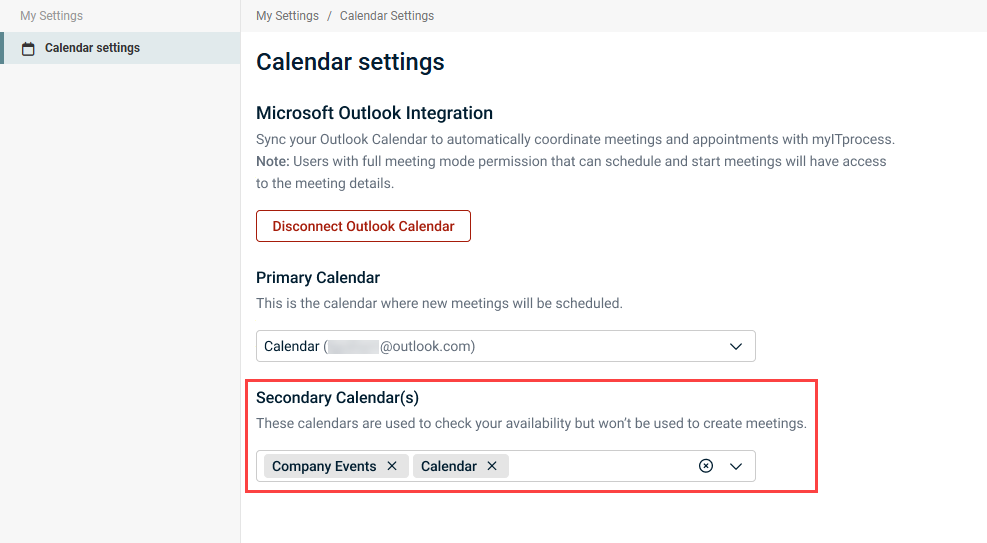
Optionally, select any number of secondary calendars from your connected Microsoft account in the Secondary Calendar(s) drop-down menu on the Calendar settings page. Calendars with read-only access are included for selection.
NOTE If a secondary calendar that was selected for the integration is deleted, myITprocess automatically removes it from the integration.
Disconnect your Microsoft Outlook integration
Complete the following steps in myITprocess to disconnect the Microsoft 365 meeting sync and your connected calendar(s) at any time:
- In the upper-right corner of the header, click your username (My Account) and select Calendar Settings.
- Click Disconnect Outlook Calendar.
- In the confirmation pop-up window, click Disconnect to execute the action.
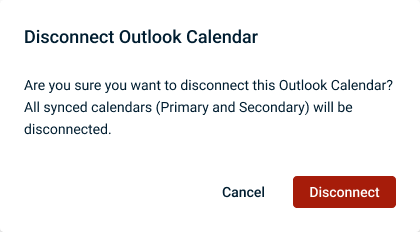
Upon disconnecting the integration, the following behavior applies to myITprocess meetings that were previously synced to Outlook:
- Historical meeting details remain.
- Meeting updates are no longer synced to and from Outlook.
- Previously synced meetings cannot be edited in myITprocess.
- Attendee statuses change to Tentative.
- A Microsoft Outlook integration has been disconnected notification appears in the meeting Details tab.
Reconnect your Microsoft Outlook integration
If you reconnect the integration, as described in Connect your Microsoft 365 business account to myITprocess, the following behavior applies to myITprocess meetings that were previously synced to your Outlook calendar:
- Upcoming meetings (not canceled or deleted) resume synchronization.
- Editing functionality is restored.
- Attendee responses are re-synced.
Meeting management
Add a meeting synced with Outlook
With the Outlook integration active, complete the following steps to create a meeting in myITprocess that syncs to your connected Outlook calendar:
- In the top navigation menu, click Strategy.
- Select the organization you are creating a meeting for from the drop-down menu in the upper-left corner of the page.
- In the upper-right corner of the page, click Add Meeting.
- Configure the details of the meeting you are planning:
- Title: Enter a name for the meeting.
- Meeting Type: Select the meeting type from the drop-down menu.
- Attendees: Optionally, enter the email addresses of required participants.
- Date: Select the meeting date.
- Start Time: Select the meeting start time.
- End Time: Select the meeting end time.
- Time Zone: Select your time zone. Refer to Time zone handling.
- Optionally, turn on the Microsoft Teams meeting toggle to generate a Microsoft Teams link for the meeting, which is added to the Outlook email invitation (if you opt to send one) and calendar event. For more details about this toggle, refer to Microsoft Teams link generation.
- The Location field is removed if the Microsoft Teams meeting toggle is turned on, as the Teams meeting link serves as the location. If this toggle is turned off or grayed out, you have the option to enter an email address or other location in this field.
- Optionally, enter a description of the meeting purpose, expected outcomes, and any relevant context in the Meeting Details field. This text is included in the Outlook email body (if you opt to send an email invitation) and calendar event.
- Click Next.
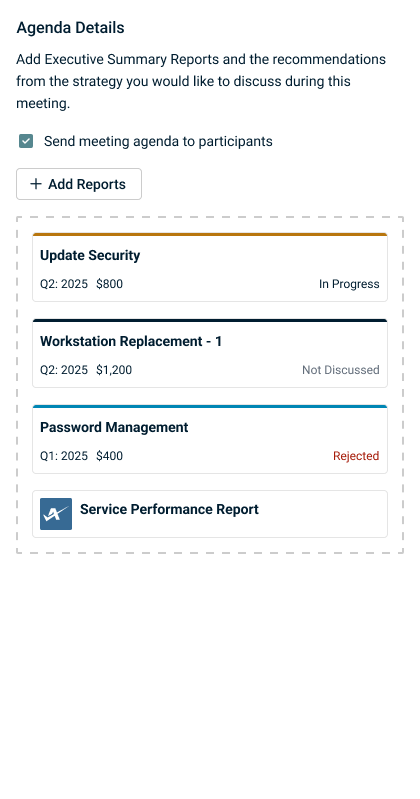
- Drag and drop recommendations or contracts from the Strategic Roadmap into the Agenda Details pane. You may wish to change the quarters you are viewing on the roadmap timeline by selecting a year in the Starting from drop-down menu in the upper-left corner of the page. The configured agenda is attached to the Outlook email invitation (if you opt to send one) and calendar event.
- If you have KaseyaOne modules synced to your account, the option to add module-specific Executive Summary reports to your agenda is available. Click Add Reports to select and configure any number of module reports you wish to add. Refer to Performing organization mapping and Add an Executive Summary report to a Strategic Roadmap meeting agenda.
- If you don't wish to send an invitation for this meeting to configured attendees at this time, clear the Send meeting agenda to participants checkbox.
- Click Create to add the meeting in myITprocess and sync it to your connected Outlook calendar.
NOTE This toggle is grayed out if the Outlook integration is not connected.
TIP To reorder items to reflect the desired presentation flow, click and drag the tiles in the agenda box.
A meeting invitation is sent from your name via Outlook to any configured attendees if the Send meeting agenda to participants checkbox was selected.
Join or copy a Teams meeting directly from myITprocess
If you generated a Teams meeting link for a meeting, you have the option to join the Teams meeting or copy the meeting link directly from myITprocess. Complete the following steps:
- In the top navigation menu, click Strategy.
- Select the applicable organization and starting year from the drop-down menus in the upper-left corner of the page.
- Click the three-line menu icon in the upper-right corner of the page.
- Click the applicable meeting in the Meetings section of the pane that opens.
- In the Meeting Link field, click Join meeting to join the Teams meeting. To copy the Teams meeting link, click the copy icon
 . The link is copied to your clipboard for you to paste and share as needed.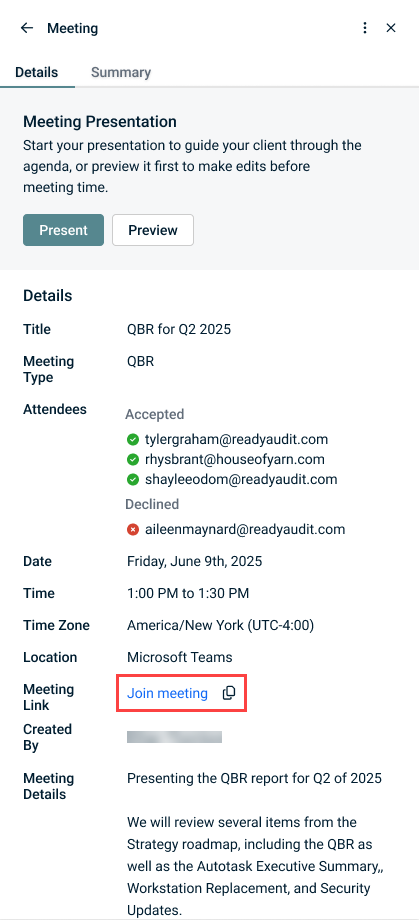
Manually sync Outlook event data to myITprocess
Complete the following steps in myITprocess to manually sync updates made in Outlook:
- In the top navigation menu, click Strategy.
- Select the applicable organization and starting year from the drop-down menus in the upper-left corner of the page.
- Click the three-line menu icon in the upper-right corner of the page.
- In the Meetings section, click Sync.
Refer to Meeting sync behavior.
Edit a meeting currently or previously synced with Outlook
Only the meeting creator can edit a synced meeting. Other users with either Read-only or Full permission for both Strategy and Meeting Mode have view-only access to synced meeting details.
Complete the following steps to edit a meeting in myITprocess:
- In the top navigation menu, click Strategy.
- Select the applicable organization and starting year from the drop-down menus in the upper-left corner of the page.
- Click the three-line menu icon in the upper-right corner of the page.
- Click the meeting you want to edit in the Meetings section of the pane that opens.
- From the three-dot menu
 in the upper-right corner of the pane, select Edit Meeting.
 - Edit the meeting as required.
- Click Next.
- Edit the agenda as required.
- Click Save.
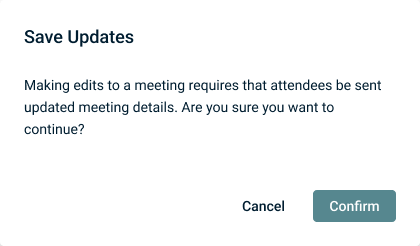
- In the pop-up confirmation window, click Confirm to send an updated meeting invitation to any configured attendees.
NOTE You cannot edit the Microsoft Teams meeting setting after meeting creation. If a Teams link was already generated, it cannot be removed within myITprocess.
If the Outlook integration is connected, your updates are synced to your Outlook calendar.
Editing a meeting when the Outlook integration is disconnected
If you disconnected the integration before editing a previously synced meeting, your updates are not synced to your Outlook calendar and must be made directly in Outlook.
Cancel a meeting currently or previously synced with Outlook
Only the meeting creator can cancel a synced meeting.
Complete the following steps to cancel a meeting in myITprocess:
- In the top navigation menu, click Strategy.
- Select the applicable organization and starting year from the drop-down menus in the upper-left corner of the page.
- Click the three-line menu icon in the upper-right corner of the page.
- Click the meeting you want to cancel in the Meetings section of the pane that opens.
- From the three-dot menu in the upper-right corner of the pane, select Cancel Meeting.
- In the lower-right corner of the pane, click Cancel Meeting.
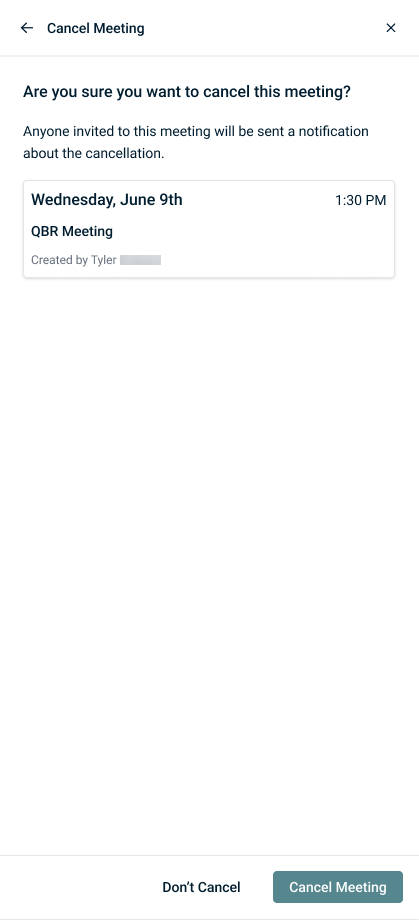
The meeting is canceled in Outlook and removed from your connected Outlook calendar. Cancellation emails are sent to any configured attendees.
Canceling a meeting when the Outlook integration is disconnected
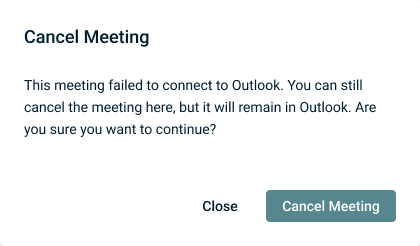
If you disconnect the integration, you may still cancel previously synced meetings via myITprocess, but a warning message upon clicking Cancel Meeting indicates that the meeting remains in Outlook. Attendees must be updated directly from Outlook regarding the meeting cancellation.